

App installation
How to install the Dutify app for Shopify
-
Download our app from the Shopify App Store, or click here to go to our app directly.
-
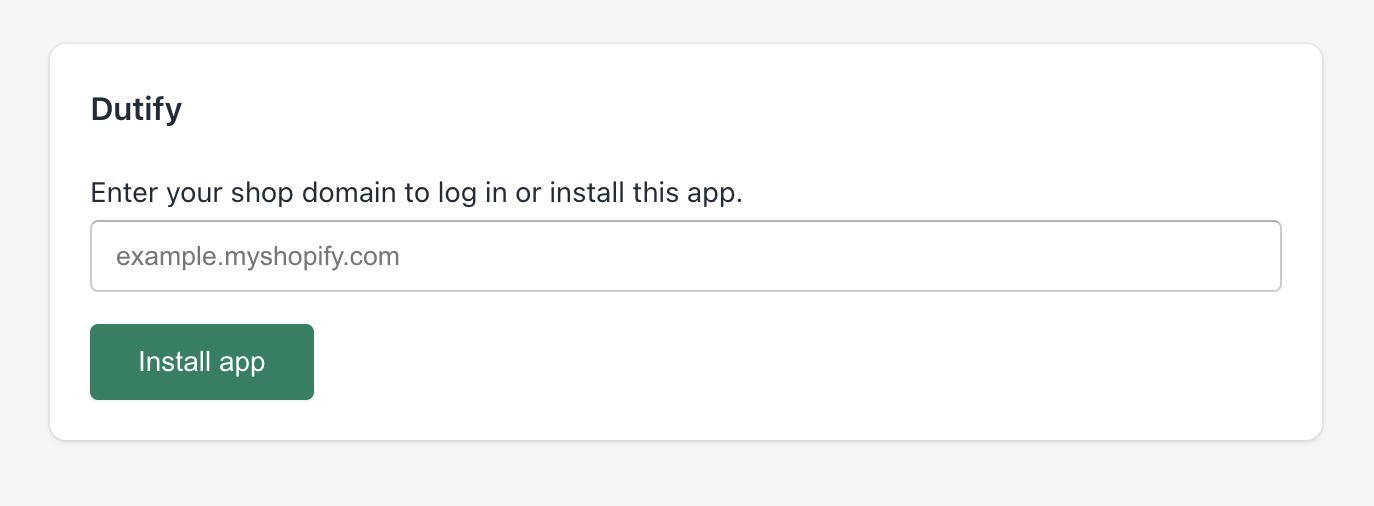
Enter your Shopify store domain and click Install app:
-
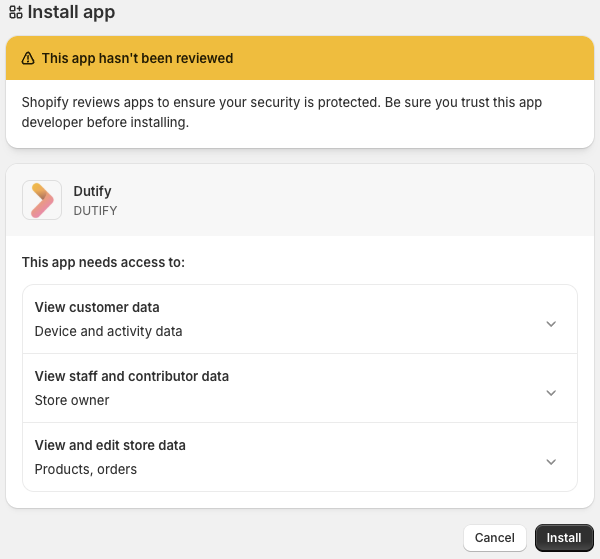
Review the app permissions and click Install:
-
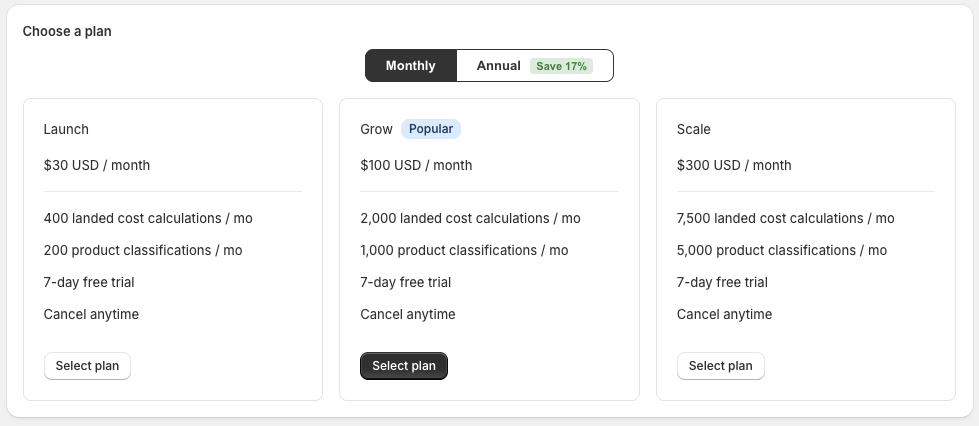
Select a plan that suits your international order volume, there is more information on billing and usage here:
-
Finally, check Enable Dutify at checkout to activate the app:

Next, you will need to configure your shipping zones and rates.
Updated 5 months ago
What’s Next
Did this page help you?