

App settings
On the Settings page you can configure the following calculation rules:
- Include Import Duty - include import duties in calculations.
- Include Sales Tax - include local sales taxes (e.g. VAT/GST/etc) in calculations. Note that Dutify does not calculate US state sales taxes as they are not collected at import.
- Include Additional Taxes - include additional taxes and fees that will be charged by customs at import (e.g. US Section 232 tariffs, parcel taxes, merchandise processing fees, etc.).
- Apply Discounts - when enabled, this setting ensures that any order-level discounts (such as discount codes or automatic discounts) are factored into the duty and tax calculation at checkout. Dutify normally calculates duties and taxes based on the full listed price of each item. With "Apply Discounts" turned on, Dutify proportionally reduces each item's price by the discount percentage. For example, if a customer applies a 10% discount to an order, each item's price is reduced by 10% before duties and taxes are calculated - resulting in lower, more accurate import charges that reflect what the customer actually paid. When this setting is turned off, duties and taxes are calculated on the original, undiscounted item prices regardless of any discounts applied to the order. We recommend leaving this disabled.
- Preferential Rates - when enabled the calculation will take Free-Trade Agreements into account, note that to qualify for preferential treatment your carrier will require a valid CO. We recommend leaving this disabled.
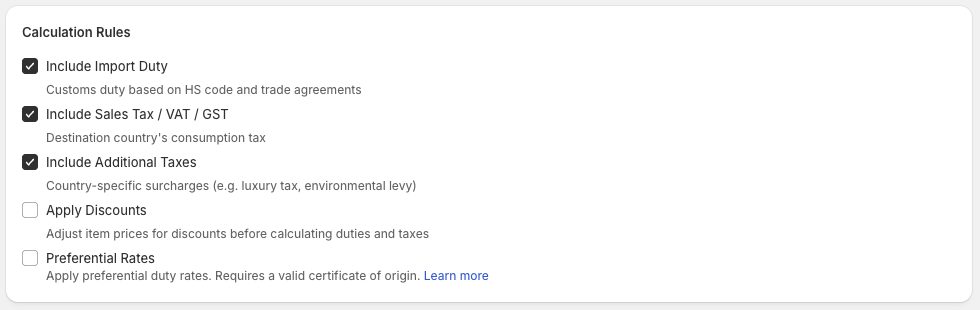
Recommended settings
Updated 5 months ago
Did this page help you?