

Order fulfilment
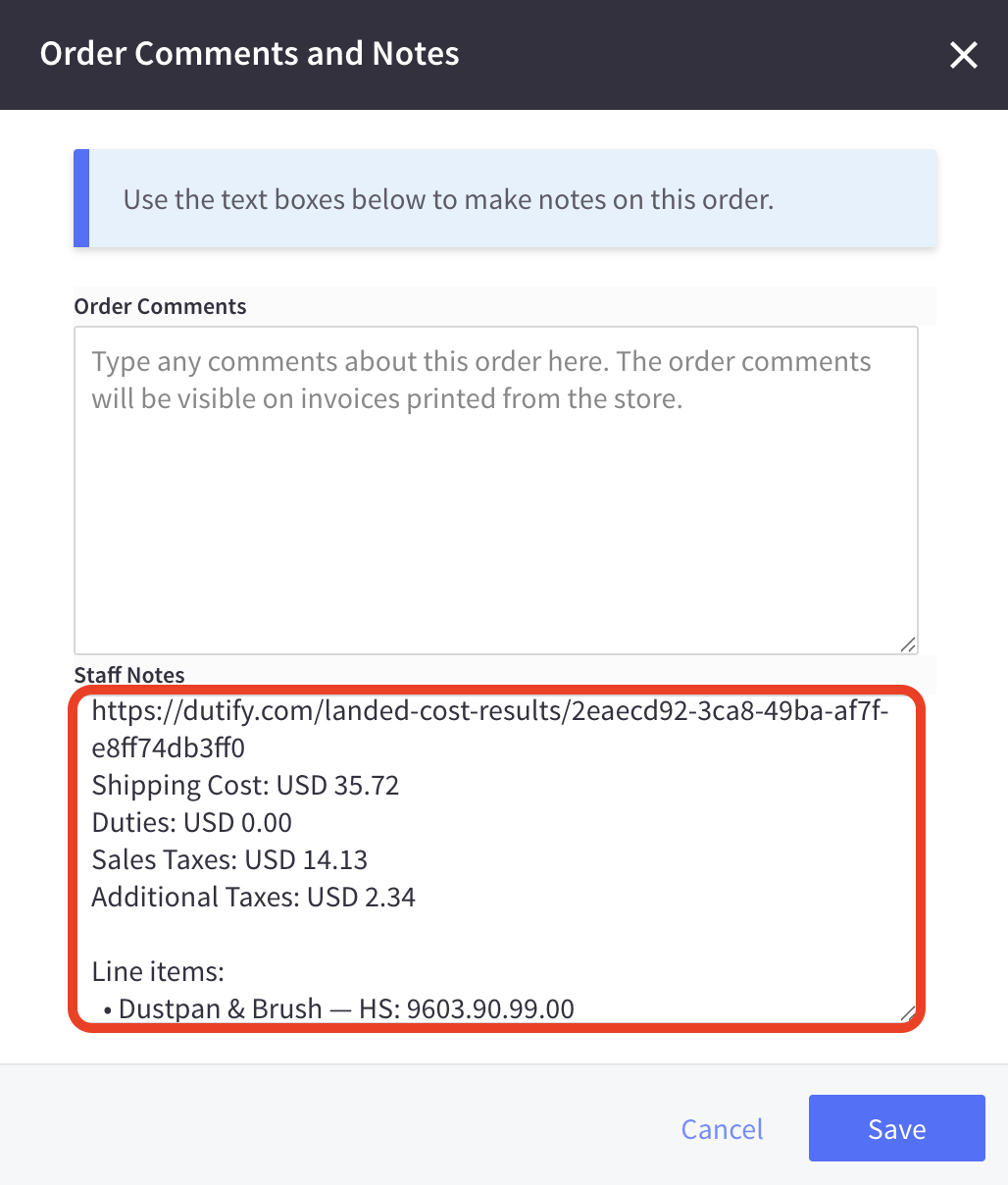
The Dutify app adds additional data to your BigCommerce orders via order notes, helping you streamline the international shipping process:
- Duties - all import duties in your store's currency.
- Sales Taxes - the sales tax (e.g. VAT/GST) in your store's currency.
- Additional Taxes - a sum of all additional taxes and fees in your store's currency.
- Shipping Cost - the shipping price exclusive of any of the above.
- Dutify URL - a link to the calculation for a full breakdown.
Our app will also add the destination-specific HS code for each line item for the country you are shipping to. You should use these HS codes on your shipping labels to ensure the carrier correctly classifies your shipment.
To view order notes:
-
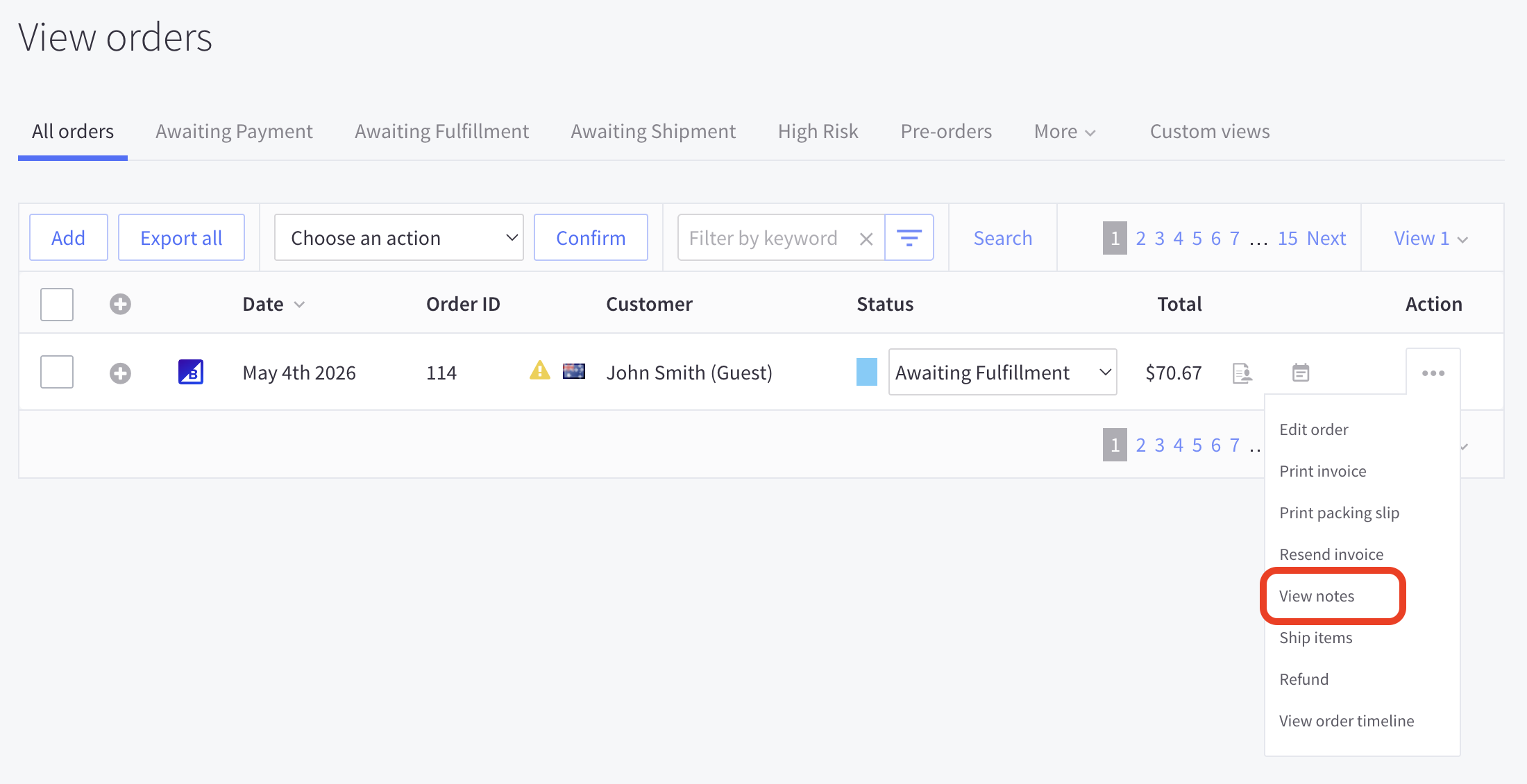
In your BigCommerce control panel, go to Orders.
-
On the order page, find an order and click Edit > View notes:
-
You will see the full breakdown under the Staff Notes section, including a destination specific HS code for each line item in the order:
Updated 5 months ago
What’s Next
Did this page help you?