

Classifying your products
This optional step will improve the accuracy of duty & tax calculations.
To calculate duties and taxes accurately your products should be classified. If you do not classify them, Dutify will automatically classify them during checkout.
The two important factors for classification are:
- HS Code: a code used by customs agencies to classify a product and determine the rate of duty and tax (full guide here).
- If you do not have HS codes, the Dutify app will automatically assign them during the checkout based on the product and variant title.
- Country of origin: the country where a product was manufactured, produced, or substantially transformed into its final form.
- If a country of origin is not set for a product or variant, we will default to using the export country.
This information is used by customs authorities to determine which tariff rates to apply to an imported good.
Product Classification tool
To help you classify your products, our app includes a Product Classification tool that provides automated HS code classification and quick links to products that are missing HS codes and a country of origin:
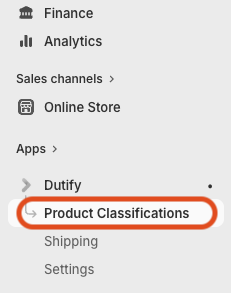
- In Shopify admin, click the Dutify app and go to Product Classifications:
-
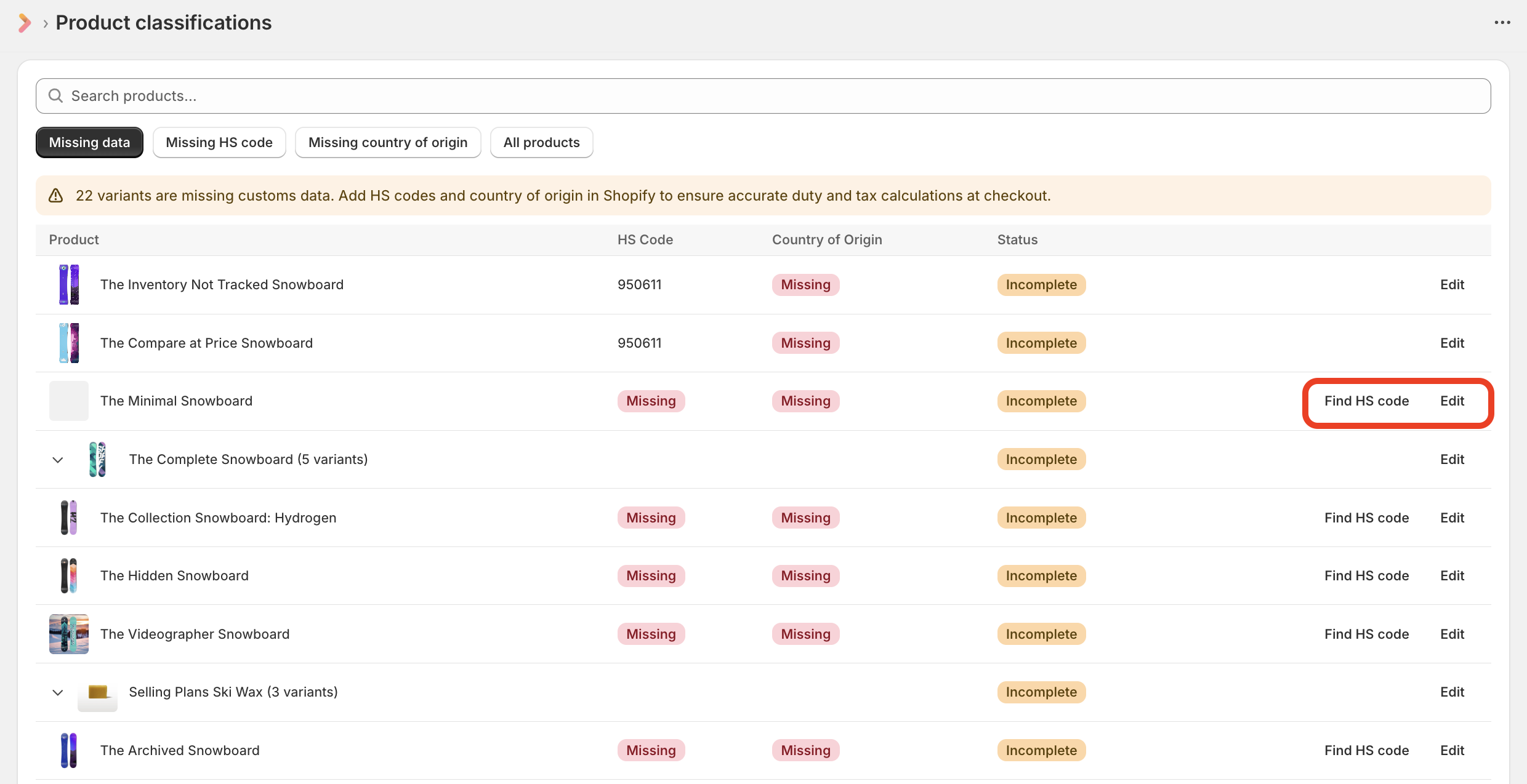
You will now see a list of all products that have missing classification data:
-
You can click Find HS Code to automatically find the HS code for the product or variant. Or you can click Edit, which will take you to directly the product page to fill out the customs information fields manually:
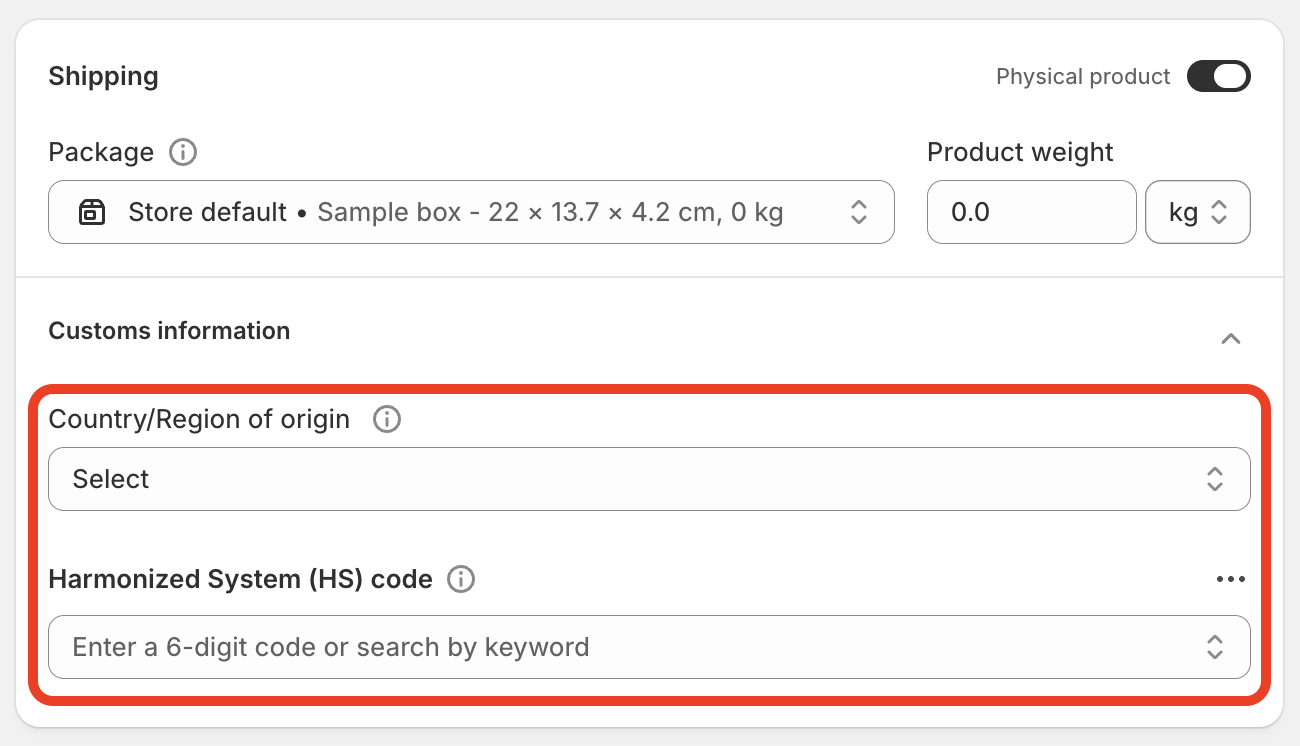
- Each time you click Find HS code, a single product classification will be used from your plan's quota.
- The vast majority of consumer products will include a "made in" designation, which can be used to determine the country of origin in most cases.
Bulk CSV classification
You can also use a CSV file to update your products if you need to make bulk updates and already have your HS codes and countries of origin on hand. Shopify provides full instructions on how to do that here.
Updated 6 months ago